How to calculate the selling price of a product: formula, margin and common mistakes
How to calculate the selling price of a product in 4 steps: cost, margin, VAT and break-even. And why adding a % to the cost doesn't give the margin you expect.
· 3 min read
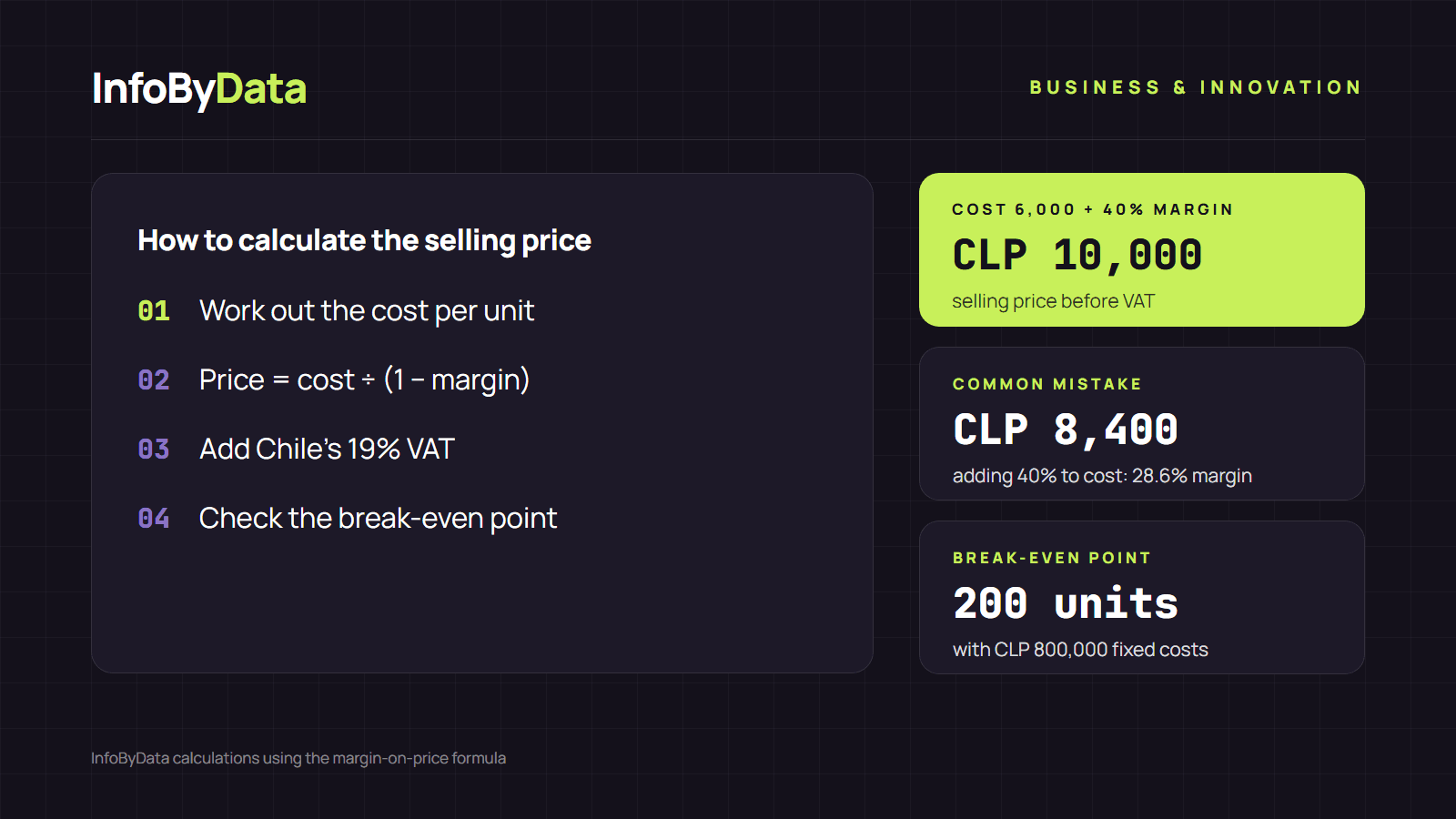
Knowing how to calculate the selling price of a product is one of the most important decisions in a business. A common mistake is adding a percentage to the cost and thinking that's the margin: if a product costs you CLP 6,000 and you add 40%, you sell it for CLP 8,400, but your real margin is only 28.6%. Here we explain the correct formula in 4 steps, and you can run the numbers instantly with our margin calculator.
CLP 8,400
Adding 40% to cost
real margin of 28.6%
CLP 10,000
With the margin formula
real margin of 40%
CLP 1,600
Difference per unit
that you don't earn
Source: InfoByData calculation with a cost of CLP 6,000
View the data as a table
| Adding 40% to cost | CLP 8,400 | real margin of 28.6% |
| With the margin formula | CLP 10,000 | real margin of 40% |
| Difference per unit | CLP 1,600 | that you don't earn |
Step 1: calculate the cost of each unit
The starting point for knowing how to calculate the selling price is the variable cost per unit: what it costs you to produce or buy each product. It includes raw materials or the supplier's price, packaging, shipping and sales fees. Always use amounts before VAT, because VAT is not your cost: you pay it and recover it.
Step 2: apply the margin formula
This is the formula for how to calculate the selling price from the margin you want to earn:
Selling price = cost ÷ (1 − margin)
With a cost of CLP 6,000 and a 40% margin: 6,000 ÷ 0.6 = CLP 10,000. Of that CLP 10,000, CLP 4,000 is profit: exactly 40% of the price.
Margin and markup are not the same
| Concept | Formula | With cost CLP 6,000 and price CLP 10,000 |
|---|---|---|
| Margin | (price − cost) ÷ price | 40% |
| Markup | (price − cost) ÷ cost | 66.7% |
Margin measures what share of the price is profit. Markup measures how much you added to the cost. That's why a 50% markup equals a margin of only 33.3%. When a supplier or partner talks about "making 50%", ask whether they mean margin or markup.
Step 3: add VAT to the final price
In Chile, the price consumers see includes 19% VAT (IVA), under article 14 of Decree-Law 825. If your net price is CLP 10,000, the retail price is CLP 11,900. To add or remove VAT from other amounts, use our VAT calculator.
Step 4: check your break-even point
A good margin is no use if you don't sell enough to cover your fixed costs: rent, salaries, utilities. The break-even point tells you how many units you need to sell each month:
Units = fixed costs ÷ profit per unit
With fixed costs of CLP 800,000 and a profit of CLP 4,000 per unit, you need to sell 200 units a month to avoid losing money. Everything you sell above that is profit.
Common mistakes when calculating the selling price
- Adding a percentage to the cost and calling it margin. This is the most common mistake: it confuses markup with margin.
- Forgetting variable costs. Shipping, packaging or the payment platform's fee reduce your profit per unit.
- Calculating with VAT included. VAT isn't your income; if you count it as profit, you overestimate your margin.
- Ignoring competitors and customers. The formula gives you a floor; the final price also depends on what your customer is willing to pay.
Once you have your numbers, connect pricing to your sales strategy: our guide to implementing a data-driven strategy in a small business shows how to use sales data to decide.
What it means for you
- Use the margin formula, not markup. To know how to calculate the selling price correctly, divide the cost by (1 − margin).
- Always separate VAT. Calculate your margin on net prices and add the 19% at the end.
- Check your break-even point whenever costs change. A rise in rent or supplier prices changes how many units you need to sell. This calculation is for reference and does not replace advice from an accountant.
Sources
- Library of the National Congress, Decree-Law 825 on Sales and Services Tax, article 14 (in Spanish)
- InfoByData calculations using the standard margin-on-price formula.
- how to calculate the selling price
- profit margin
- markup
- break-even point
- small businesses
- margin calculator