SEO analyzer: what it is, what it checks and how to use it to improve your page
An SEO analyzer checks a page's title, description, headings and images in seconds. What it measures, what it does not measure and how to use it well.
· 3 min read
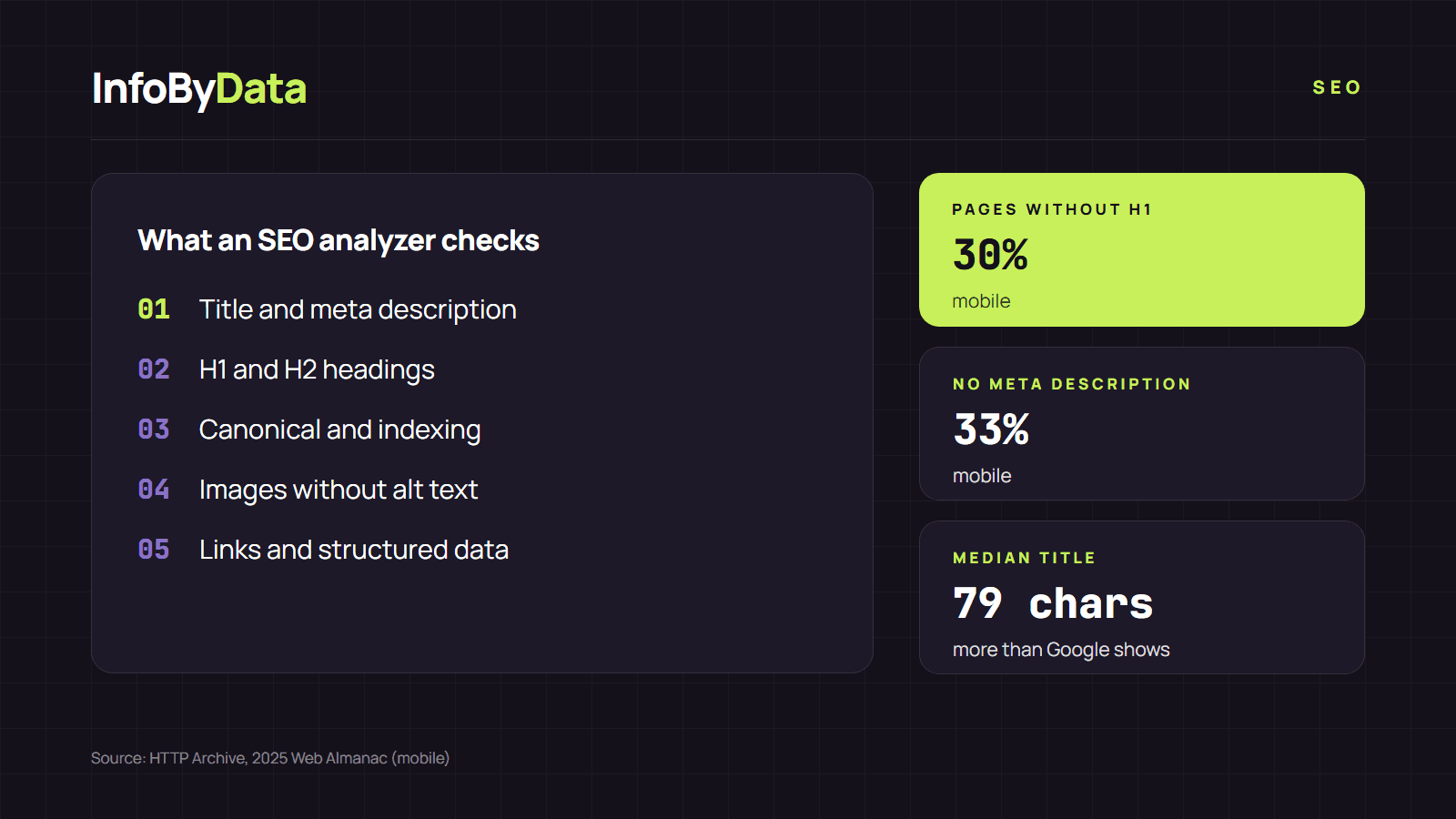
An SEO analyzer is a tool that downloads a web page and checks, point by point, the elements Google uses to understand it: the title, the meta description, the headings, the images, the links and the structured data. It is useful because basic errors are still common: according to HTTP Archive's 2025 Web Almanac, 30% of mobile pages have no H1 and 33% have no meta description.
30%
Pages without an H1
the main heading
33%
Pages without a meta description
the text under the title in Google
79 characters
Median title
more than Google usually shows
Source: HTTP Archive, 2025 Web Almanac, SEO chapter, mobile
View the data as a table
| Pages without an H1 | 30% | the main heading |
| Pages without a meta description | 33% | the text under the title in Google |
| Median title | 79 characters | more than Google usually shows |
What an SEO analyzer is
An SEO analyzer works the way a search engine would: it requests the page from the server, reads its HTML and compares what it finds with the best practices in Google's SEO guide. Instead of reading the source code by hand, you get a report with what is fine, what could be improved and what is missing.
There are two main types:
- Single-page (on-page) analyzer: checks one URL in seconds. It is what you use for your home page, a product page or an article.
- Full-site crawler: goes through every page on a domain and detects repeated problems, such as duplicate titles or broken links.
Our free SEO analyzer is the first type: you type the address and see the result instantly, with no sign-up.
What an SEO analyzer checks
These are the elements a good SEO analyzer checks and why they matter:
| Element | What it checks | Why it matters |
|---|---|---|
Title (<title>) |
That it exists and has a reasonable length | It is the main source of the blue title in Google |
| Meta description | That it exists and is not too long | It may appear as the text under the title |
| H1 and H2 | That there is a clear main heading | It helps Google and readers understand the topic |
| Canonical | Which version of the page you declare as the main one | It keeps duplicate URLs from competing |
| Images | How many have no alternative text (alt) | Google uses alt text to understand images |
| Links | How many are internal, external and nofollow | It shows how the page is connected |
| Structured data | Which schema.org types it declares | They can enable rich results |
| Indexing | Robots and noindex tags | An accidental noindex removes the page from Google |
Google is clear about the value of the title: its systems use the <title> element to create the result's title around 87% of the time, according to its Search Central blog. That is why the title is usually the first thing an SEO analyzer checks.
How to use an SEO analyzer step by step
- Pick the pages that matter most. Start with the home page, the categories and the pages that sell the most or get the most visits.
- Paste the full URL into the SEO analyzer and wait for the report. Check that the "final URL" is the one you expected: if there are redirects, the report shows them.
- Fix what is red first. A noindex, a missing title or an empty H1 weigh more than a slightly long description.
- Analyze the page again after publishing the changes to confirm they went live correctly.
What an SEO analyzer does not check
An SEO analyzer looks at a page's code at a given moment. It does not tell you where you rank, how many clicks you get or how many sites link to you. For that you need Google Search Console and, if you want to see your positions, the methods we explain in our article on how to check your website ranking.
Nor does it replace editorial judgment. Google points out in its guide that it does not use the meta keywords tag and that there is no magic word count. An SEO analyzer detects technical problems; the quality of the content is up to you.
If you want to review a whole site, not just one page, follow our 7-step SEO audit guide. You will find more guides in the SEO section.
What it means for you
- Check your key pages today. With a free SEO analyzer, in five minutes you know whether your home page has a title, a description and an H1.
- Prioritize what keeps you out of Google. A noindex or an empty title costs more visits than an image without alt text.
- Use it after every change. A redesign, a new plugin or a template change can wipe out titles or canonicals without anyone noticing.
Sources
- SEO analyzer
- on-page SEO
- meta description
- title tag
- H1
- SEO Checker