SEO title check: how to review whether your page title is well optimized
An SEO title check reviews a title's length, keyword, brand and uniqueness. The 6 points to review and which titles Google rewrites, according to the data.
· 3 min read
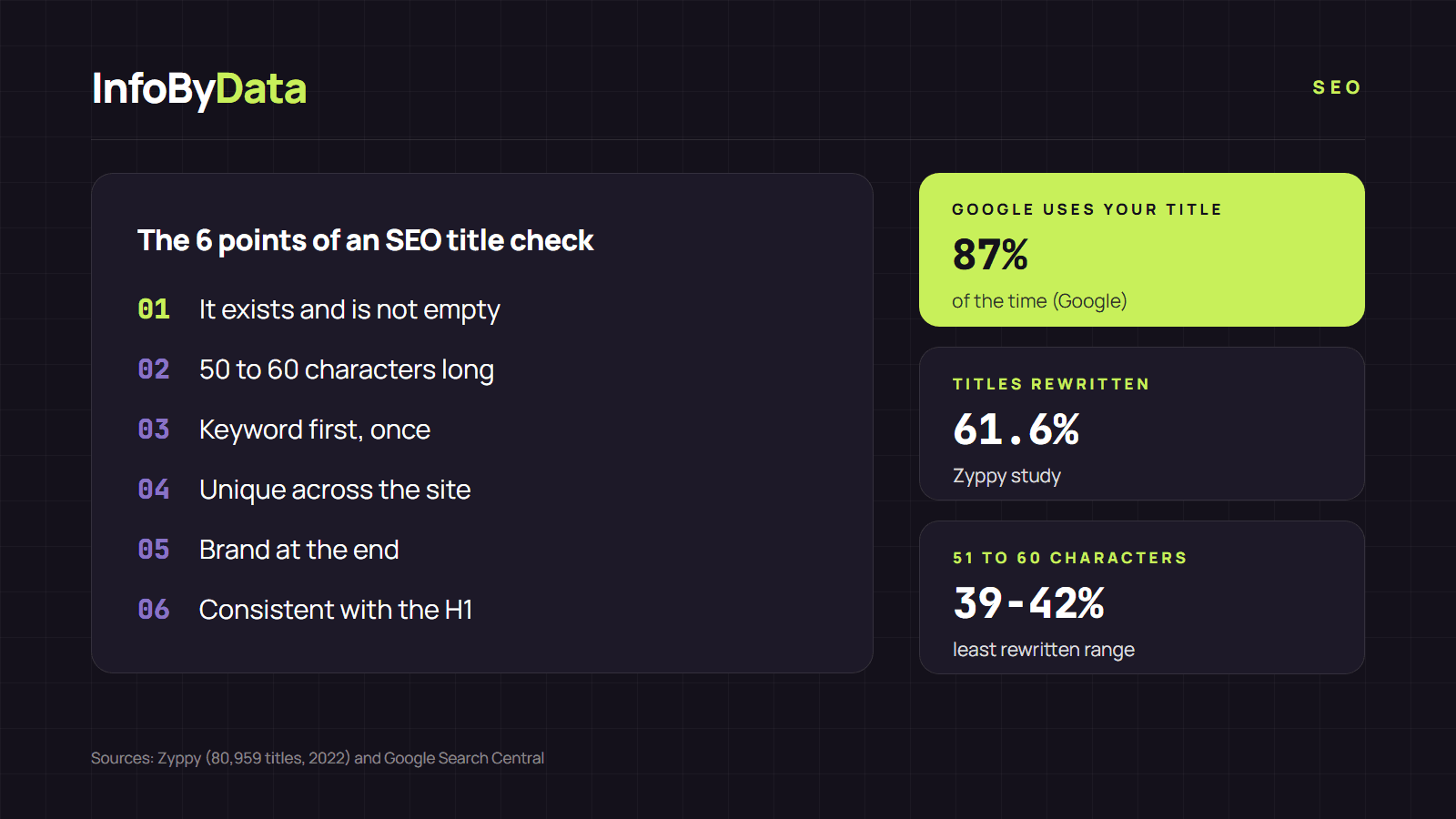
A page's title (the <title> element) is the first thing people see in Google, and Google uses it to create the result's title around 87% of the time, according to its Search Central blog. But a Zyppy study of 80,959 titles found that Google rewrote 61.6% of them. An SEO title check helps you write titles that Google keeps and that invite the click.
What an SEO title check is
An SEO title check is a review of a page's title against concrete criteria: whether it exists, how long it is, whether it includes the keyword, whether it is unique and whether it describes what users will find. You can do it by hand, looking at the source code, or in seconds with our free SEO title check, which shows the exact title of any page and its length in characters.
The 6 points of an SEO title check
1. It exists and is not empty
It sounds obvious, but the title is missing on 1.5% of mobile pages, according to the 2025 Web Almanac. Google also lists "half-empty" titles, where part of the text is missing, as a problem.
2. It has a reasonable length
Google does not set a limit, but it truncates the title "as needed, typically to fit the device width", its documentation on titles explains. In the Zyppy study, the 51 to 60 character range was the one Google rewrote least (between 39% and 42%). Above 70 characters, it rewrote them almost always. To see how your title gets cut, use our SERP simulator, which measures it in pixels.
3. It includes the keyword, once
Put the word people search for at the beginning. Google warns against "keyword stuffing": repeating the same word several times makes the result look spammy.
4. It is unique across the site
Each page should have its own title. Google lists repeated text across groups of pages as a problem, such as the same title for every product in a catalog.
5. The brand does not take up all the space
The brand at the end, separated by a dash or a pipe, helps people recognize you. But if the title is just the brand, you waste space, except on the home page. A useful finding from the Zyppy study: Google removed or replaced the pipe ( | ) in 41% of cases, and the dash in only 19.7%.
6. It matches the H1
Google uses the H1 and other prominent text on the page to create the result's title. If the title and the H1 say the same thing, Google is more likely to keep yours. Zyppy measured one example: when the title and the H1 include the same number, Google kept a number 97.3% of the time.
An SEO title check example
| Title | Length | Diagnosis |
|---|---|---|
| Home | 4 | Vague and too short: Google will probably replace it |
| Sneakers | 8 | Short and generic: it does not say what you offer or who you are |
| Women's running sneakers, deals, discounts, cheap sneakers Chile | Store | 72 | Long and repetitive: Google will truncate or rewrite it |
| Women's running sneakers with delivery across Chile - Store | 59 | Clear, with the keyword first and the brand last |
What it means for you
- Run an SEO title check on your key pages. It takes a minute per page, and the title is one of the elements that weigh most on the click.
- Aim for titles of 50 to 60 characters. It is the range Google rewrites least, according to the available data.
- Write for people, not robots. A clear, unique title consistent with the H1 is the one Google tends to keep.
Sources
- SEO title check
- title tag
- SEO title
- SERP simulator
- SEO analyzer
- CTR