Check website ranking: how to find out where your site appears on Google
How to check website ranking on Google with Search Console, manual searches and free SEO tools, and why not everyone sees the same results.
By Paulina · SEO and digital strategy specialist
· 5 min read
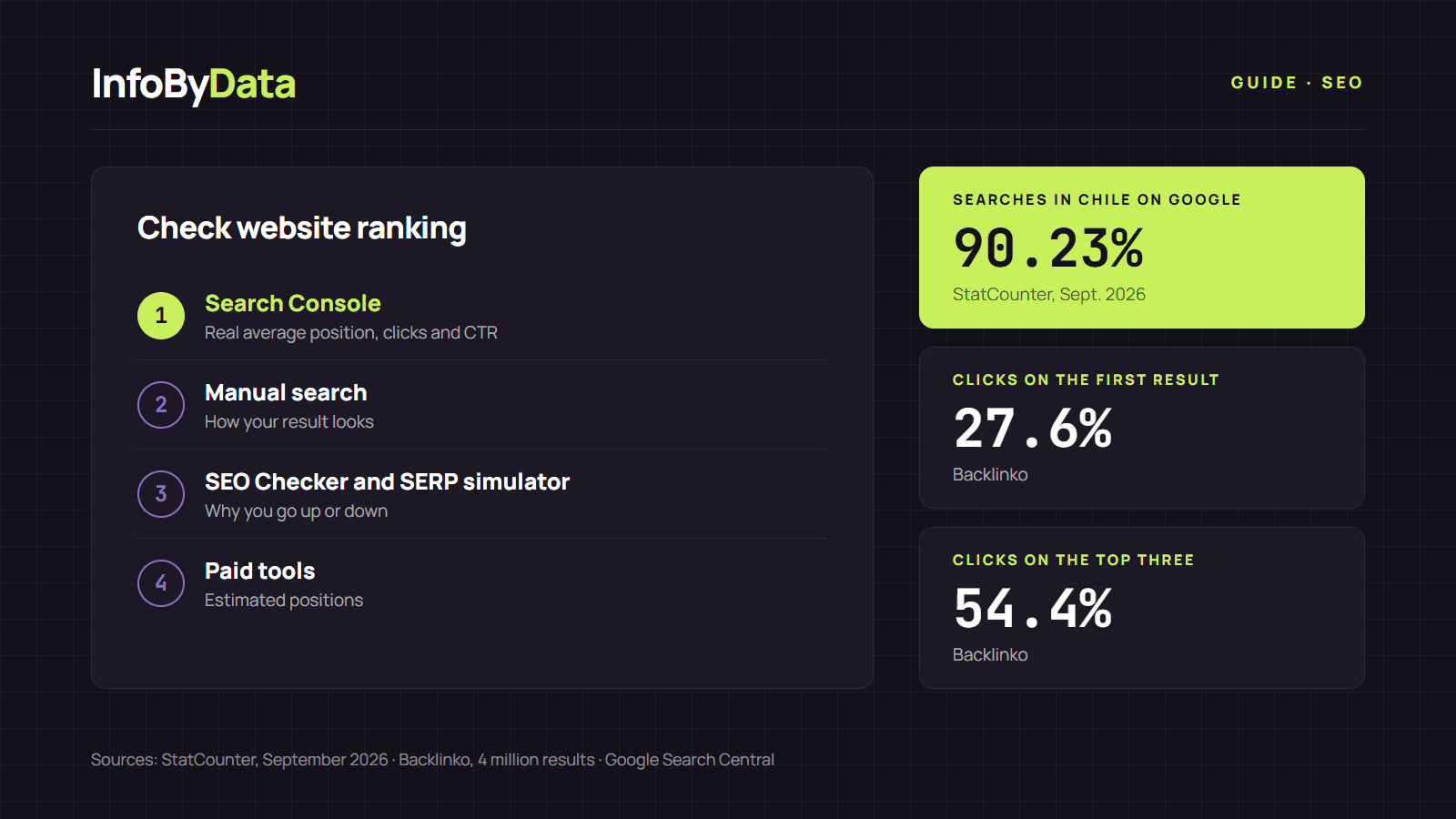
In Chile, 90.23% of searches happen on Google, according to StatCounter data for September 2026. And within Google, position matters: the first organic result gets an average of 27.6% of clicks and the top three take 54.4%, according to a Backlinko analysis of 4 million results. That is why the ability to check website ranking is the first step of any SEO strategy: if you do not know where you stand, you cannot tell whether you are improving.
90.23%
Searches in Chile made on Google
September 2026
27.6%
Clicks on the first result
organic average
54.4%
Clicks on the top three results
organic average
Source: StatCounter, September 2026; Backlinko, 4 million results
View the data as a table
| Searches in Chile made on Google | 90.23% | September 2026 |
| Clicks on the first result | 27.6% | organic average |
| Clicks on the top three results | 54.4% | organic average |
Why you cannot check website ranking with a single number
Before measuring, it helps to understand one thing: there is no single position. According to Google's documentation on how Search works, relevance depends on hundreds of factors, including the searcher's location, language and device. Someone in Santiago and someone in Concepción may see different results for the same query, and the same happens between desktop and mobile.
On top of that, the results page is no longer a simple list of ten blue links: there are maps, videos, related questions and AI summaries. When an AI Overview appears, the first result gets 58% fewer clicks on average, as we explain in our analysis of AI Overviews in figures. So rather than an exact position, what is useful is to follow a trend with a reliable method.
Method 1: check website ranking with Google Search Console
This is the most reliable way and it is free, because it uses Google's real data about your site. The Search Console performance report shows four metrics for every search where you appear: clicks, impressions, CTR (click-through rate) and average position.
Step by step:
- Verify your site in Google Search Console.
- Go to Performance › Search results and turn on Average position.
- In the Queries tab, sort by impressions to see the searches where you appear most.
- Use the Countries and Devices tabs to see your position in Chile and on mobile separately.
- Compare periods (for example, the last 28 days against the previous 28) to see whether you are going up or down.
One key detail: average position is not "the place where you always appear". According to Google's help, for each search the highest position your site reached is taken and then averaged. If you appear in position 2 for one query and 3 for another, your average position is 2.5. Search Console keeps data for the last 16 months, according to Google Analytics help, so it is worth checking at least once a month.
Method 2: search for your site by hand on Google
For a quick look you can search your keyword in an incognito window. It shows how your result looks next to the competition, but it has limits: it depends on your location and device, and it changes from day to day.
What you should not do is use programs that run automated searches on Google to check rankings. Google's spam policies state that machine-generated traffic, including "scraping results for rank-checking purposes", violates its rules and terms of service.
Method 3: free SEO tools from InfoByData
Search Console tells you where you are. To understand why and how to climb, we built three free tools at InfoByData that require no sign-up:
- SEO Checker: paste a page URL and check its title, meta description, H1 and H2 headings, canonical, indexing, images without alt text, links and structured data in seconds. It is the starting point when a page does not show up or has dropped.
- SERP simulator: shows how your result will look on Google, on desktop and mobile, and measures your title and description length in characters and pixels. A better title will not change your position by itself, but it can raise your CTR in the same spot.
- Free AI Checker: checks whether the ChatGPT, Claude, Google, Perplexity and Copilot crawlers can read your page, and whether it has the signals AI answers rely on. Today, to check website ranking is also to check whether you appear in those answers.
To see them in action, read our analysis using the SEO Checker on 11 online stores in Chile.
Method 4: paid tools to track keywords
Platforms such as Semrush or Ahrefs show estimated positions for thousands of keywords, including your competitors'. They are useful for comparison, but their figures are estimates based on their own databases, not Google's data. We explain how to use them in our guide to SEO tools for monitoring the competition in Chile.
| Method | What it shows | Cost | How accurate it is |
|---|---|---|---|
| Google Search Console | Your site's real average position, clicks, impressions and CTR | Free | High: it is Google data |
| Manual search | How your result looks next to others | Free | Low: depends on your location and device |
| SEO Checker, SERP simulator and AI Checker | Errors and improvements that affect your position and clicks | Free | They do not measure position; they explain why |
| Semrush, Ahrefs and similar | Estimated positions for you and your competitors | Paid | Medium: they are estimates |
How often to check website ranking and what to look at
A monthly review in Search Console is usually enough for a small site. Look especially at:
- Queries with many impressions and a position between 5 and 15: they are the easiest to improve, because you are already close to the first page.
- Pages with a low CTR for their position: a better title or description can help, and you can test it in the SERP simulator.
- Sudden drops: if a page falls sharply, run it through the SEO Checker and check whether it matches one of the Google updates of 2026.
What it means for you
- Use Search Console as your main source: it is free and it is the only method with real Google data. Watch the trend of your average position, not a single number.
- Do not trust a single search: what you see on your computer is not what all of Chile sees. Location, language and device change the results.
- Measure and fix in the same flow: when you spot a page that is dropping, review it with the SEO Checker, improve its title with the SERP simulator and measure again in Search Console the following month.
Sources
- StatCounter: search engine market share in Chile (September 2026)
- Backlinko: "We Analyzed 4 Million Google Search Results. Here's What We Learned About Organic Click Through Rate"
- Google Search Central: how Google Search works
- Google: Search Console performance report
- Google: how average position is calculated in Search Console
- Google Analytics: Search Console data (16 months)
- Google Search Central: spam policies
- Semrush: countries Semrush covers
- Ahrefs: Site Explorer
- check website ranking
- average position
- Google Search Console
- SEO Checker
- CTR