Why Google changes your page title and how to prevent it with an SEO title check
Google changes a page's title when it is vague, too long, repeated or inaccurate. The 5 causes Google recognizes and how to spot them with an SEO title check.
· 3 min read
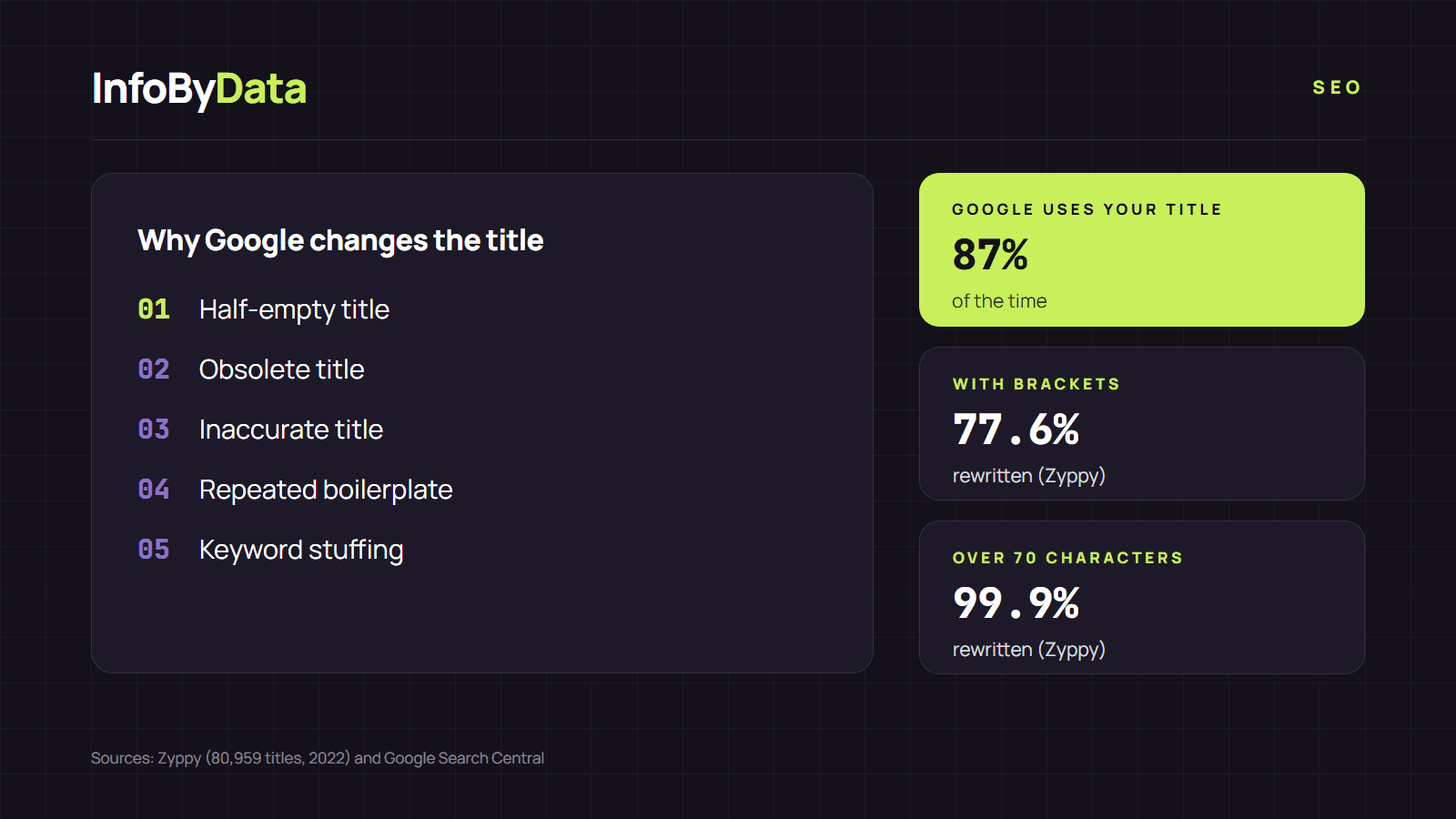
You wrote a careful title for your page and, when you search for it, Google shows a different one. It is not a bug: Google changes the title when it thinks other text describes the page better. According to its documentation, generating the result's title is "completely automated" and takes into account both the page's content and references to it on the web. The good news is that the title you write is still the main source: Google uses the <title> element around 87% of the time, according to its Search Central blog.
87%
Times Google uses your title element
according to Google
61.6%
Titles rewritten in the Zyppy study
fully or partially
99.9%
Titles over 70 characters rewritten
almost all
Source: Google Search Central Blog (2021) and Zyppy, 80,959 titles (2022)
View the data as a table
| Times Google uses your title element | 87% | according to Google |
| Titles rewritten in the Zyppy study | 61.6% | fully or partially |
| Titles over 70 characters rewritten | 99.9% | almost all |
Why do the figures not match? Google's 87% counts the times it uses the content of the title element, even if it shortens it. Zyppy's 61.6% includes any change, however small, such as removing the brand or a separator.
Where Google gets the new title
When Google changes the title, it does not make it up. It uses text from your own page or from the web, in this order from the official documentation:
- The content of the
<title>element. - The main visual title on the page.
- Headings, such as the H1.
- The
og:titletag. - Other large and prominent text through style treatments.
- Other text on the page.
- Anchor text on the page.
- Text within links that point to the page.
- WebSite structured data.
Google notes that it needs to recrawl the page to notice changes, which can take "a few days to a few weeks".
The 5 reasons Google changes the title
| Cause | Example | What to do |
|---|---|---|
| Half-empty title | "| Company name" (the text before the pipe is missing) | Complete the title with what the page offers |
| Obsolete title | "Admissions 2025" on a page that now covers 2026 | Update the date every year |
| Inaccurate title | A title that promises something the page does not have | Describe the actual content |
| Repeated boilerplate | The same long phrase in every title of a group of pages | Keep only what changes on each page |
| Keyword stuffing | "Sneakers, cheap sneakers, sneakers Chile" | Use the keyword once |
Length adds to these causes. Google truncates the title "as needed, typically to fit the device width". In the Zyppy study, titles over 60 characters were rewritten in more than 76% of cases.
What we saw on 27 Chilean home pages
In our analysis of 27 Chilean home pages we found several of these cases: a title that starts with a pipe and no text before it (half-empty); five titles with vague words like "Inicio" (Home) or "¡Bienvenidos!" (Welcome!), which Google asks site owners to avoid; and 7 titles over 60 characters, the longest at 104. These are easy-to-fix details that make it more likely that Google changes the title.
How to keep Google from changing the title
- Run an SEO title check on your important pages with our SEO title check: it shows the exact title Google reads and its length.
- Align the title with the H1. If they say the same thing, Google has fewer reasons to look for other text.
- Avoid brackets and too many pipes. Zyppy found that Google rewrote 77.6% of titles with brackets and removed or replaced the pipe in 41% of cases.
- Check the preview in our SERP simulator before publishing.
If Google still changes the title when you meet every point, review the anchor text of links pointing to your page and the H1: they are the sources Google uses as alternatives. For the full list of points, read how to review whether your page title is well optimized.
What it means for you
- When Google changes the title, it is a signal. It usually means your title is vague, long or does not match the content.
- Fix the causes, not the symptom. An SEO title check shows you which of the five causes applies to your page.
- Be patient after the change. Google can take days to weeks to recrawl and show the new title.
Sources
- Google Search Central, influencing your title links in search results
- Google Search Central Blog, more info about how Google generates titles (September 2021)
- Zyppy, "Google Rewrites 61% of Page Title Tags" (study of 80,959 titles, 2022)
- InfoByData's own measurement with the SEO Checker on the home pages of 27 Chilean websites, November 13, 2026
- Google changes the title
- SEO title check
- title tag
- title link
- H1
- on-page SEO