How to use SEO tools to monitor your competitors in Chile: a practical 2026 guide
Google handles 90.23% of searches in Chile. We show you which SEO tools to use to monitor your competitors and how to analyze their data, step by step.
By Paulina · SEO and digital strategy specialist
· 4 min read
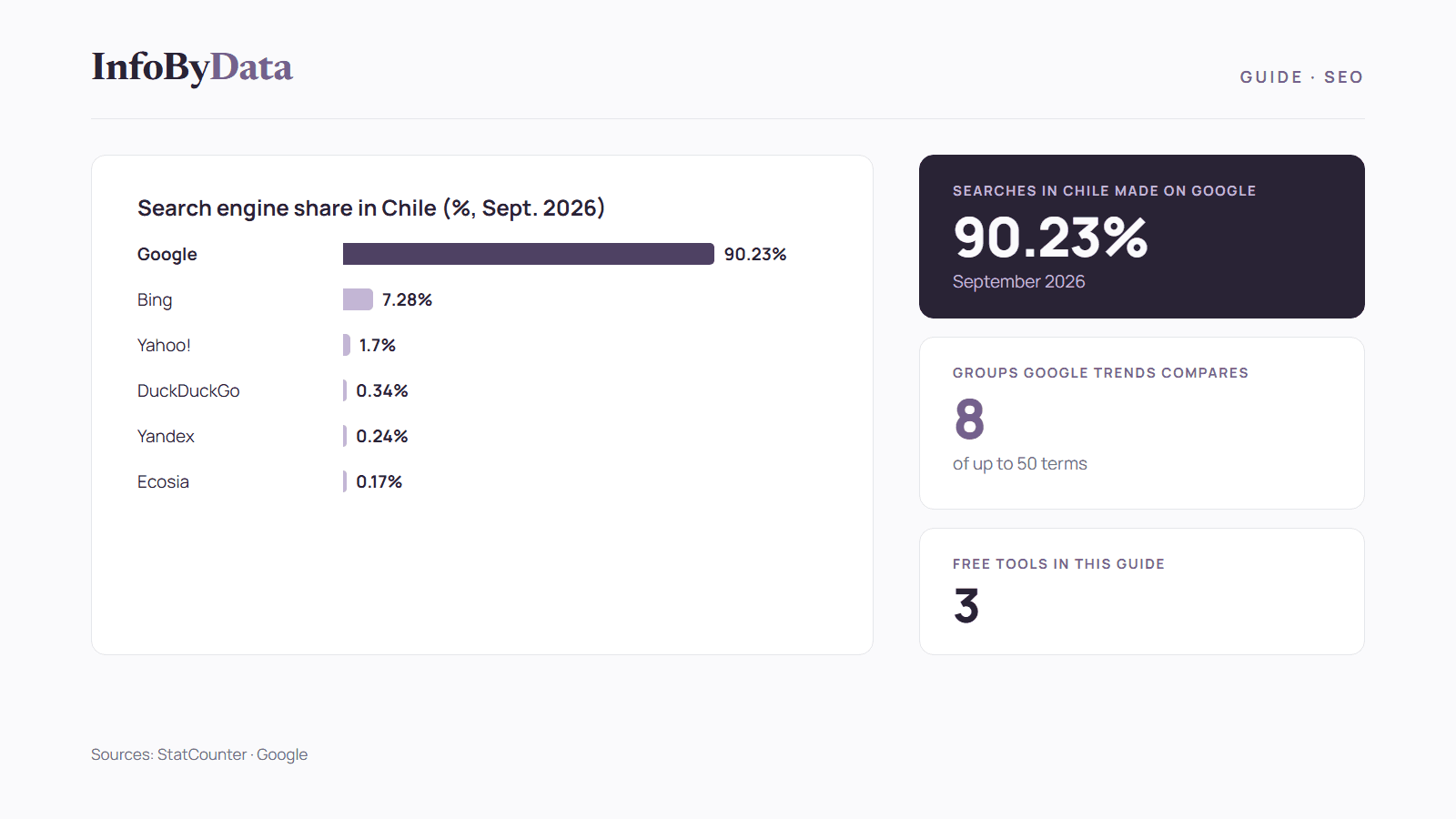
In Chile, 90.23% of searches happen on Google, according to StatCounter data for September 2026. That means your online competition plays out almost entirely on a single results page. SEO tools to monitor competitors show you which keywords your rivals rank for, which pages bring them the most visits and which ads they're paying for.
In this guide we review the most useful free and paid tools, what each can and can't do, and how to set up simple competitor monitoring.
90.23%
Searches in Chile made on Google
September 2026
7.28%
Searches on Bing
the second search engine in Chile
8 groups
Terms Google Trends compares at once
of up to 50 terms each
Free
Cost of Google Trends and the Ads Transparency Center
public Google tools
Source: StatCounter, September 2026; Google Trends
View the data as a table
| Searches in Chile made on Google | 90.23% | September 2026 |
| Searches on Bing | 7.28% | the second search engine in Chile |
| Terms Google Trends compares at once | 8 groups | of up to 50 terms each |
| Cost of Google Trends and the Ads Transparency Center | Free | public Google tools |
Why monitor competitors with SEO tools
Knowing what your competitors do helps you find opportunities: keywords they already target and you don't, topics that bring them visits or pages you could improve. Since almost every search in Chile goes through Google, it makes sense to focus your monitoring there:
Free SEO tools to monitor competitors
Google Trends: compare interest in brands and topics
Google Trends lets you compare up to 8 groups of terms at once, with up to 50 terms each, and filter by country or region, according to its help center. You can compare interest in your brand and your competitors' brands in Chile.
Be careful how you read the data: Google Trends doesn't show search volumes but relative interest scaled from 0 to 100, calculated on a sample of searches, according to its official explanation.
Google Ads Transparency Center: see which ads they pay for
The Ads Transparency Center is a public search tool for ads from verified advertisers. According to Google's announcement, it shows the ads an advertiser has run, which ads were shown in a region, the last date each ad ran and its format.
What it's for: finding out which products and messages your competitors are promoting in Chile.
Google Search Console: your point of comparison
Search Console doesn't show data for other sites, only yours. But it's essential for comparison. According to Google's help pages, its performance report shows your site's clicks, impressions, click-through rate (CTR) and average position on Google, grouped by query.
What it's for: spotting which searches you appear in and where you may be losing out to competitors.
Paid SEO tools to analyze competitors
Semrush: data specific to Chile
Semrush has a database for Chile (code CL) among its more than 140 keyword databases, according to its help center. It shows which keywords your competitors rank for on Google Chile.
Ahrefs: pages and keywords for any site
Ahrefs Site Explorer lets you study any website: where its traffic comes from, which pages perform best and how it gets discovered across search, AI answers, links and ads, according to the company.
Paid tools provide estimates, not actual data from the site being analyzed. Use them to compare trends, not as exact figures.
Comparing SEO tools to monitor competitors
| Tool | Cost | What it shows you | Data for Chile |
|---|---|---|---|
| Google Trends | Free | Relative interest in brands and topics | Yes, country and region filter |
| Ads Transparency Center | Free | Your competitors' ads | Yes, region filter |
| Google Search Console | Free | Your own clicks, impressions and positions | Yes, country filter |
| Semrush | Paid | Estimated keywords for any domain | Yes, CL database |
| Ahrefs | Paid | Estimated pages, keywords and links | Check coverage on its site |
How to set up competitor monitoring, step by step
Step 1: define your 3 to 5 main competitors
Include those that rank above you on Google for your most important searches, not only those you compete with offline.
Step 2: compare brands in Google Trends
Compare your brand with your competitors' brands, filtered by Chile, and see how interest changes over time.
Step 3: review their ads
Look up each competitor in the Ads Transparency Center and note which products and messages they promote.
Step 4: identify their strongest keywords and pages
With a tool like Semrush or Ahrefs, review which searches bring them the most visits and which pages perform best.
Step 5: compare with your data and act
Cross-check all of this with your Search Console. If a competitor appears for an important search and you don't, improve your page with on-page SEO best practices and review your technical SEO foundation.
Step 6: repeat every month
Log the changes in a spreadsheet and review them once a month. If you run an online store, add the recommendations from our guide to SEO for online stores.
What it means for you
- In Chile, search competition happens on Google: it handles 90.23% of searches, so your monitoring should start there.
- You can start for free: Google Trends, the Ads Transparency Center and Search Console already provide a lot of information.
- Paid tools estimate, they don't measure: use them to spot opportunities and trends, and always confirm with your own web analytics data.
Sources
- SEO tools
- monitor competitors
- SEO in Chile
- Google Trends
- competitor analysis