Most common SEO mistakes: what an SEO audit finds and how to fix them
The most common SEO mistakes, in numbers: 30% of pages have no H1 and half use no structured data. How to detect each mistake and how to fix it on your site.
· 4 min read
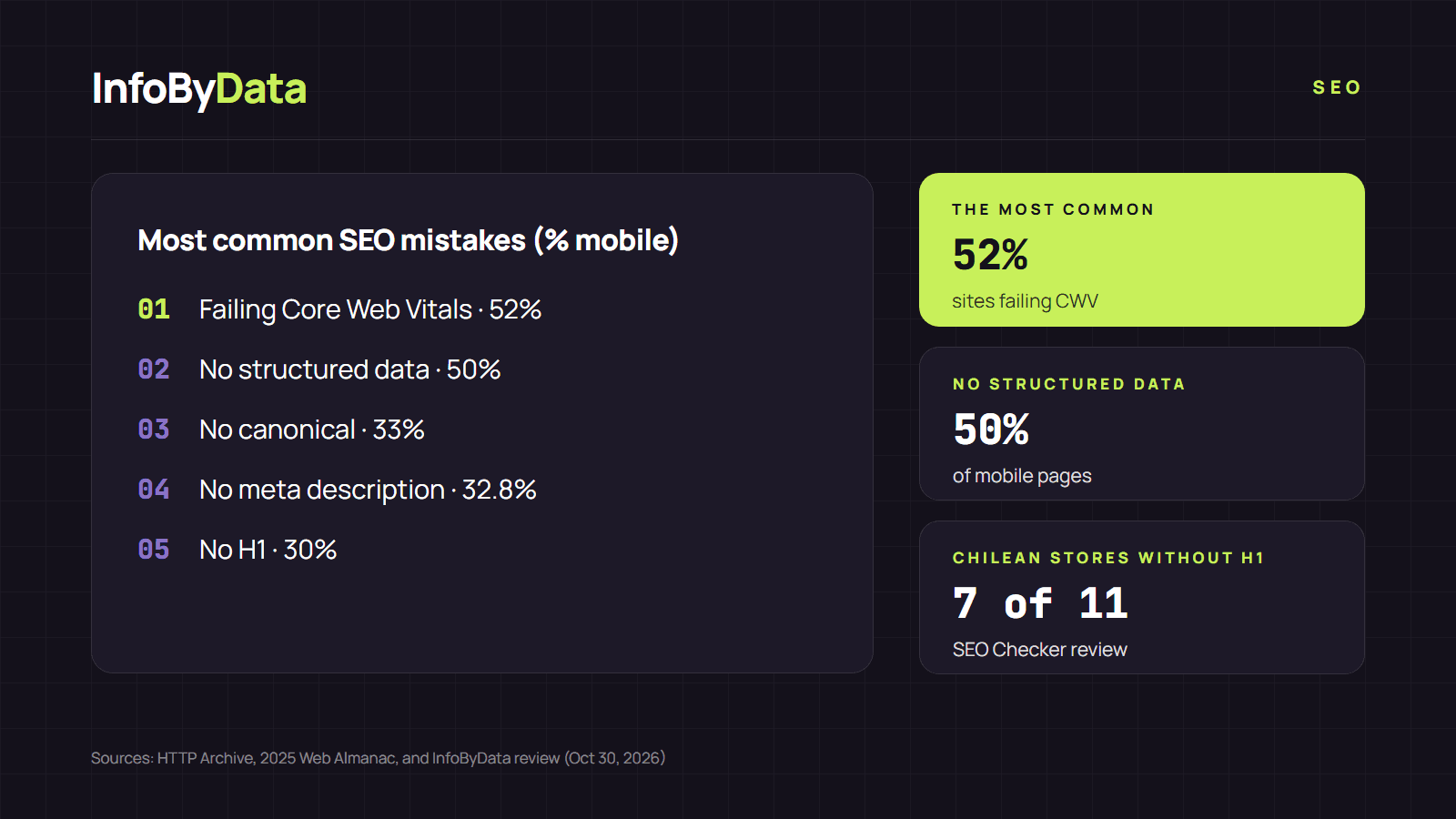
The most common SEO mistakes are not hard to fix, but they show up on millions of sites. According to HTTP Archive's 2025 Web Almanac, which analyzes the real web, half of mobile pages use no structured data, 33% have no canonical tag and 30% have no H1. These are the mistakes that come up most in an SEO audit, how to detect them and how to fix them.
The most common SEO mistakes and how to fix them
1. Failing Core Web Vitals
This is the most widespread: 52% of mobile sites fail all three metrics at once. On mobile, the hardest one is loading (LCP): only 62% of sites pass it. Google recommends that the main content load in under 2.5 seconds.
- How to detect it: the Core Web Vitals report in Google Search Console.
- How to fix it: compress and resize images, reduce the JavaScript that loads up front and reserve space for images and ads so the page doesn't shift.
2. Pages without structured data
Half of pages use no structured data (schema), the code that tells Google whether a page is a product, an article or a local business.
- How to detect it: our SEO analyzer shows which schema types a page has and whether they contain errors.
- How to fix it: add the right schema type to each page, in JSON-LD format, starting with the most important ones.
3. Missing canonical tag
33% of mobile pages have no canonical. Google explains in its SEO guide that duplicate content wastes crawl resources and that each piece of content should have a single URL.
- How to detect it: check each page's canonical with the SEO analyzer. It should normally point to the same page.
- How to fix it: add a canonical tag to every page and redirect duplicate versions.
4. Missing or overly long meta description
32.8% of mobile pages have no meta description. Google doesn't always use it, but when it exists and is well written it helps make the result clearer.
- How to detect it: the SEO analyzer shows whether it exists and how many characters it has.
- How to fix it: write a unique description for each page, 150 to 160 characters long, with the main keyword.
5. Pages without an H1
30% of pages have no H1, the main heading. And among those that have one, some leave it empty: only 66% have an H1 with text.
- How to detect it: the SEO analyzer counts the page's H1 and H2 headings.
- How to fix it: use a single H1 per page that describes its topic. If your site adds it with JavaScript, make sure it also appears in the HTML the server delivers.
6. robots.txt errors
On 13.2% of mobile sites, the robots.txt file returns a 404 error. It's not serious on its own: Google treats that error as if the file didn't exist, meaning no crawl restrictions. But it suggests nobody is checking how the site is crawled.
- How to detect it: open
yourdomain.com/robots.txtin your browser. - How to fix it: create a robots.txt that points to your sitemap and doesn't accidentally block important pages.
7. Images without alt text
On the typical web page, 15% of images have no alt attribute. Google asks for alt text that is "short, but descriptive".
- How to detect it: the SEO analyzer counts how many images on the page lack alt text.
- How to fix it: briefly describe what each relevant image shows.
What we found on Chilean sites
When we ran the home pages of 10 Chilean online stores and cyber.cl through our SEO Checker on October 30, 2026, the most common SEO mistakes matched the Web Almanac's:
| Finding | Pages (out of 11) |
|---|---|
| No H1 in the HTML | 7 |
| At least one image without alt text | 10 |
| Incomplete Open Graph (image and title for social media) | 6 |
| Meta description over 160 characters | 4 |
| A canonical or structured data error | 2 |
All of them used HTTPS and had a mobile version: the basics are covered, but on-page SEO details are still pending.
How to check your site in 5 minutes
- Run your home page and your 3 most visited pages through InfoByData's SEO analyzer.
- Note which items show up in red and which repeat across pages.
- Open Search Console and check the indexing and Core Web Vitals reports.
- Fix first what affects many pages at once, such as a template without an H1.
For a full review, follow our step-by-step SEO audit guide.
What it means for you
- Fixing the basics already puts you ahead. If your site has an H1, a canonical, a meta description and structured data, it already beats a large part of the web.
- Fix the template, not page by page. Most of the most common SEO mistakes come from the site template, and fixing it corrects hundreds of pages at once.
- Check after every change. A redesign or a store theme update can reintroduce mistakes you had already fixed.
Sources
- HTTP Archive, 2025 Web Almanac, SEO chapter (January 2026)
- Google Search Central, SEO Starter Guide
- Google Search Central, Core Web Vitals and Google search results
- Google Search Central, how Google interprets the robots.txt specification
- InfoByData review with its SEO Checker of 11 home pages of Chilean online stores (October 30, 2026)
- most common SEO mistakes
- SEO audit
- SEO analyzer
- on-page SEO
- structured data
- Core Web Vitals