SEO metrics: how to read clicks, impressions, CTR and average position
What the SEO metrics in Google Search Console measure, how to read them together and what to do when a number rises or falls, with examples and thresholds.
By Paulina · SEO and digital strategy specialist
· 3 min read
Opening Google Search Console for the first time can be intimidating: charts, four colors and thousands of rows. But the SEO metrics that matter are few, and they read better together than separately. In this guide we explain what each one measures according to Google's official help, how to interpret them and what to do when they change.
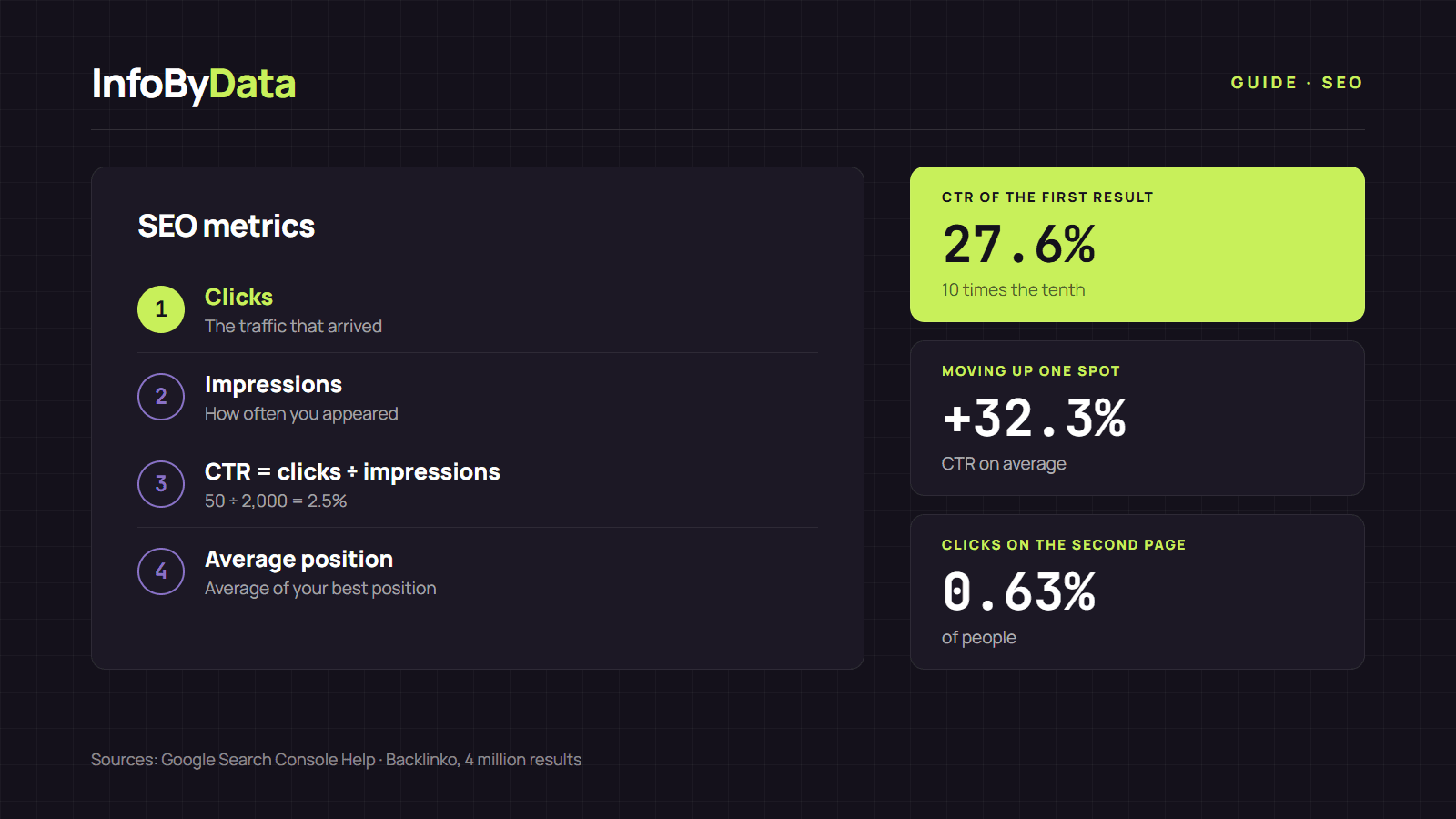
27.6%
Average CTR of the first result
10 times the tenth
32.3%
Moving up one spot increases CTR by
relative average
0.63%
Clicks on the second page
of people
Source: Backlinko, 4 million results
View the data as a table
| Average CTR of the first result | 27.6% | 10 times the tenth |
| Moving up one spot increases CTR by | 32.3% | relative average |
| Clicks on the second page | 0.63% | of people |
The four SEO metrics in Search Console
The Search Console Performance report shows four metrics. These are their official definitions, in plain words:
| Metric | What it measures | How to read it |
|---|---|---|
| Clicks | How many times someone clicked through to your site from Google results | The traffic that actually arrived |
| Impressions | How many times your site appeared in results | Measures visibility, even if no one clicks |
| CTR | Clicks divided by impressions | How appealing your result is |
| Average position | The average of the topmost position your site reached | Where you appear, on average |
An example: if a page had 2,000 impressions and 50 clicks in a month, its CTR is 50 ÷ 2,000 = 2.5%.
Be careful with average position: it is not "the spot where you always appear". For each query, Google takes your best position and then averages, according to its explanation of how the data is calculated. If you appear in position 2 for one query and position 8 for another, your average position is 5, even though you were never in that spot.
How to read SEO metrics together
A single number says little. What's useful is looking at combinations:
- Many impressions and low CTR: you appear, but your result doesn't convince. Improve the title and description, and check how they look with the SERP simulator.
- Position between 5 and 15 with many impressions: you're close to the top spots. These are the most profitable pages to improve, because moving up a single spot increases CTR by 32.3% on average, according to Backlinko.
- Impressions rising but clicks not: you may be appearing in new searches but in low positions, or an AI summary may be answering before the links. We explain it in AI Overviews in figures.
- Sudden drop in clicks and impressions: check whether the page is still indexed and run it through the SEO Checker to detect errors such as a misplaced canonical or a noindex tag.
Other SEO metrics worth checking
Besides performance, there are technical metrics that explain why numbers go up or down:
- Indexed pages: the Search Console indexing report shows how many pages Google can show and why it excludes others.
- Core Web Vitals: according to web.dev, a good experience means loading the main content in 2.5 seconds or less (LCP), responding to a click in 200 milliseconds or less (INP) and a visual stability of 0.1 or less (CLS). web.dev recommends measuring them at 75% of visits, with mobile and desktop separately.
- On-page errors: duplicate titles, missing H1s or images without alt text don't show up in a chart, but they hurt. The SEO Checker detects them page by page.
If you measure campaigns, tag your links with the UTM generator to separate organic from paid traffic in Google Analytics.
How often to check SEO metrics
A monthly review is enough for most sites. Always compare equal periods, for example the last 28 days against the previous 28, and separate mobile from desktop. For a step-by-step guide to finding your position on Google, read our guide to check website ranking.
What it means for you
- Read metrics in pairs: impressions with CTR, and position with clicks. A single number can mislead.
- Prioritize pages near the top 10: they gain the most from small improvements.
- When a number drops, diagnose: check the page with the SEO Checker, fix it and measure again the following month.
Sources
- SEO metrics
- Google Search Console
- CTR
- average position
- Core Web Vitals