SEO best practices: which ones Google recommends and how to apply them to your site
The SEO best practices recommended in Google's official guide, the myths worth forgetting and how to check your site for free in minutes with the SEO Checker.
By Paulina · SEO and digital strategy specialist
· 3 min read
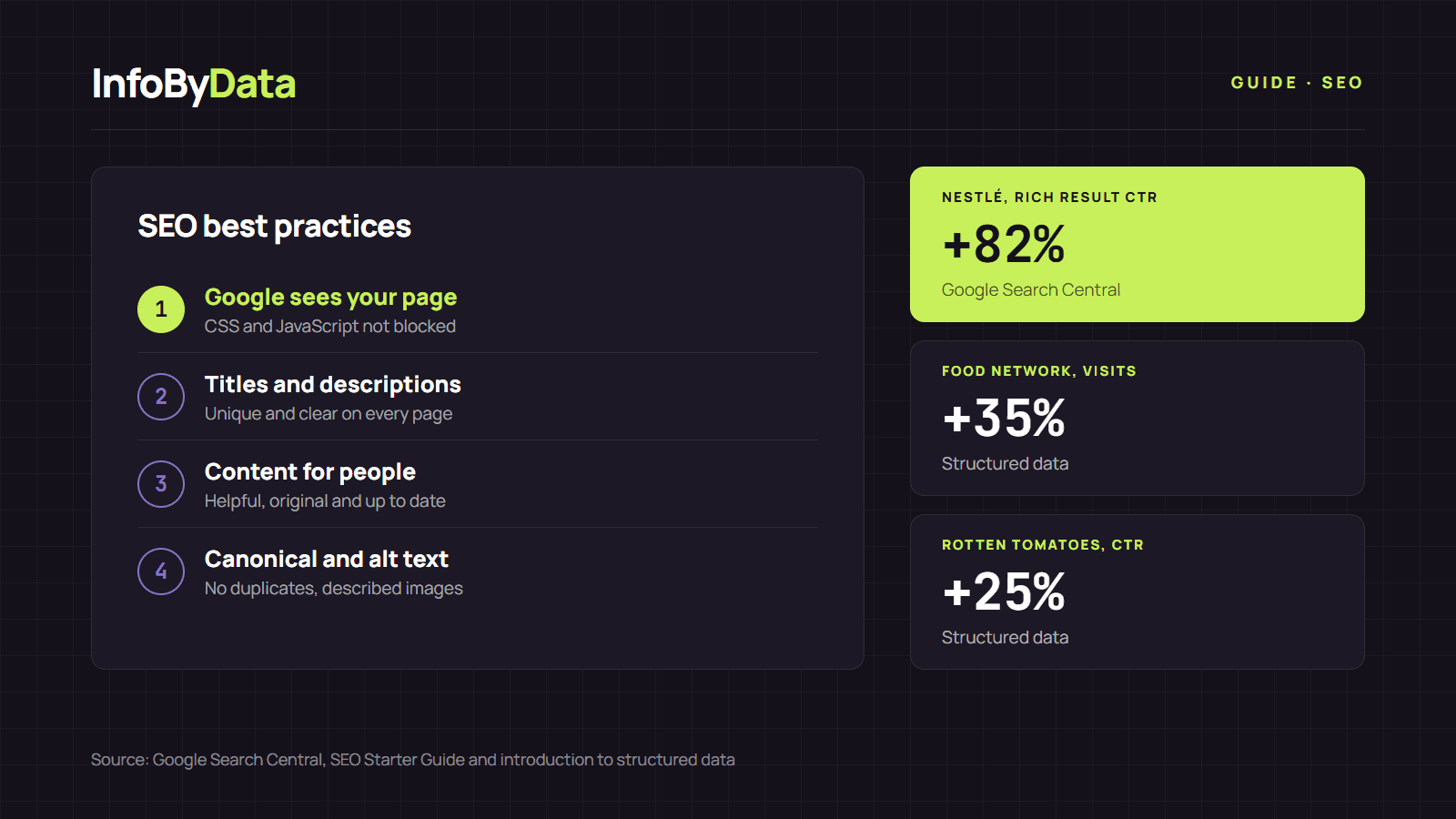
SEO best practices are not tricks to fool Google: they are the rules the search engine itself publishes so it can understand, index and show your pages better. Google's SEO Starter Guide sums it up in one idea: build a site made for people that is easy for robots to read. In this article we lay out what Google recommends, what it says does not matter and how to check it on your site in a few minutes.
The SEO best practices Google recommends
According to the official guide, these are the basics every site should meet:
- Let Google see your page the way a person does. Don't block CSS or JavaScript files, and check each page with the URL Inspection tool in Search Console.
- Use descriptive URLs. Google recommends including words in the address that are useful to users, as InfoByData does with full titles in the slug.
- Consolidate duplicate content. If the same page opens at several addresses, use redirects or a canonical tag to say which one is the main one.
- Write helpful, original and up-to-date content, easy to read and organized with subheadings.
- Unique, clear titles and meta descriptions for each page. Google sets no maximum title length, but it truncates titles in results to fit the screen width, according to its title link documentation.
- High-quality images with descriptive alt text, placed near the related text.
- Links with descriptive anchor text, and a nofollow attribute on external links you don't trust.
- Avoid intrusive ads and pop-ups that cover the content.
To go deeper into titles, headings and internal links, read our guide to on-page SEO with 7 data-backed best practices.
Content made for people
Google insists that content should be created "primarily for people" and not to manipulate rankings, according to its guide on helpful, reliable, people-first content. It suggests three questions to review each page:
- Who wrote it: authorship should be clear, with a byline and an author page.
- How it was made: explain the method, including any use of automation or AI.
- Why it exists: according to Google, perhaps the most important question. The page should exist to help visitors, not just to attract searches.
Myths: what Google says doesn't matter
Part of following SEO best practices is to stop wasting time on what doesn't work. The same Google guide makes it clear:
| Myth | What Google says |
|---|---|
| "You must fill in meta keywords" | Google doesn't use the meta keywords tag |
| "Repeating the keyword many times helps" | Excessively repeating the same words tires users and goes against its policies |
| "The domain must include the keyword" | Words in the domain alone have hardly any effect |
| "Long texts rank better" | Content length alone doesn't matter for ranking |
| "There's an ideal number of headings" | There is no ideal number, and it doesn't matter if they are out of order |
| "E-E-A-T is a ranking factor" | It isn't: it's a framework to assess whether content is helpful and reliable |
How to check SEO best practices on your site
You don't need to code to check the basics. At InfoByData we built the SEO Checker, a free tool with no sign-up: paste a page's address and within seconds it tells you whether it has a title, meta description, H1, canonical, images without alt text, links and structured data.
A simple workflow to apply these SEO best practices:
- Run your most visited pages through the SEO Checker and note the errors in red.
- First fix what keeps Google from reading you properly: indexing, canonical and duplicate titles.
- Improve titles and descriptions and check how they look with the SERP simulator.
- Wait a few weeks and measure in Search Console. Google warns that some changes show up in hours and others take months.
If your site has speed or crawling issues, continue with our technical SEO guide.
What it means for you
- Start with what Google publishes: its official guide is free and worth more than any trick.
- Forget the myths: don't waste time on meta keywords, repeating words or padding texts for no reason.
- Check and fix in cycles: analyze your pages with the SEO Checker, fix the most serious issues and measure again the following month.
Sources
- SEO best practices
- Google SEO guide
- structured data
- SEO Checker
- on-page SEO