Online SEO analysis: what it can and cannot detect on your website
An online SEO analysis checks a page's code in seconds, but it does not see everything. What it detects, what it misses and why 9 of 36 sites could not be read.
· 3 min read
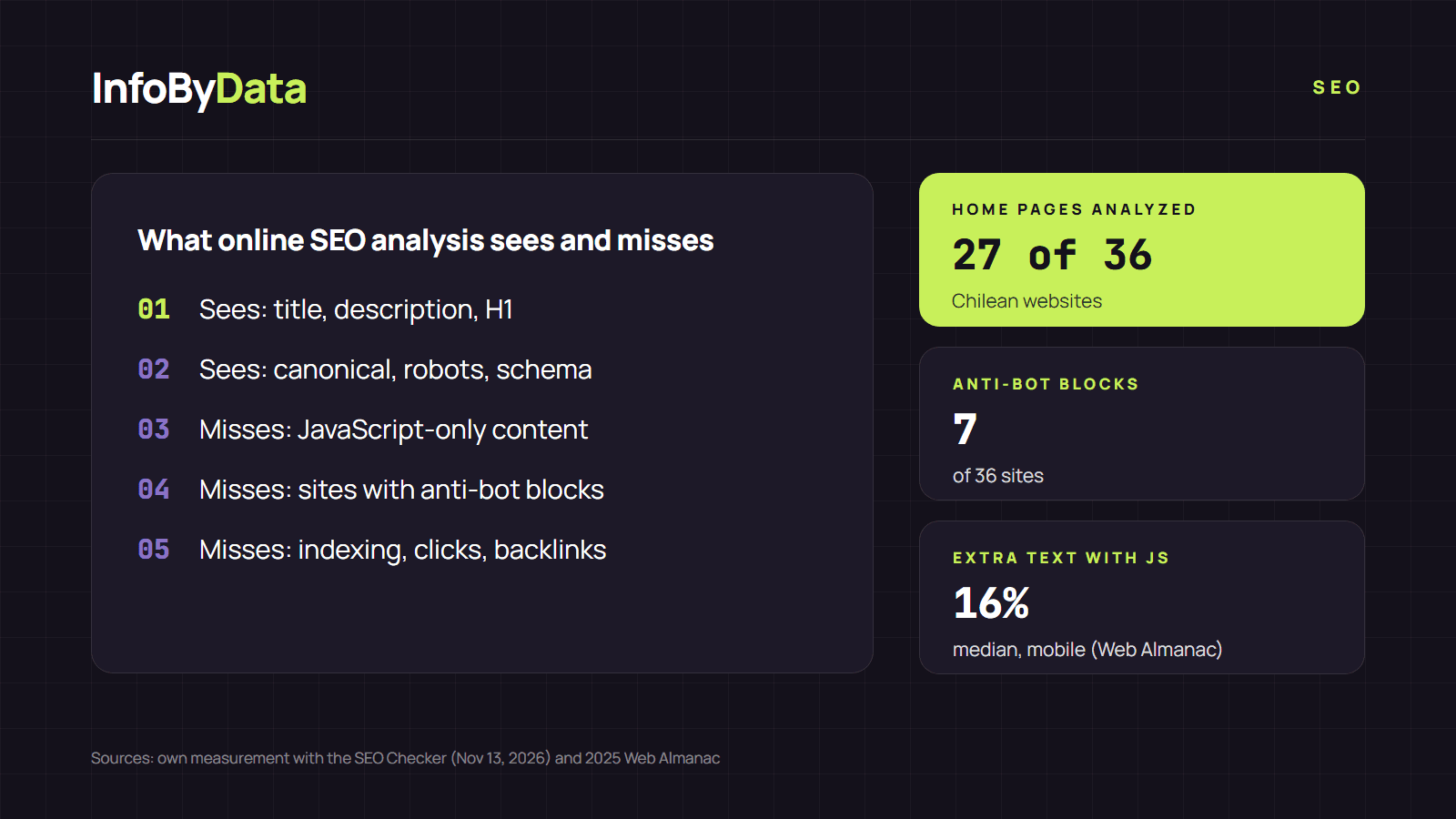
An online SEO analysis is an automated review run by a web tool: it downloads a page, reads its code and tells you which SEO elements it has and which are missing. It is fast and free, but it has limits worth knowing. When we tried to analyze the home pages of 36 Chilean websites with our own analyzer on November 13, 2026, 9 could not be checked: they responded with a block, an anti-bot verification screen or a page with no content until JavaScript ran.
Source: InfoByData's own measurement with the SEO Checker, Nov 13, 2026
View the data as a table
| Full analysis | 27 |
| Block or anti-bot verification | 7 |
| JavaScript-only content | 1 |
| Response without HTML | 1 |
What an online SEO analysis detects
Everything written in the HTML the server delivers. With our free online SEO analysis you see, for any public page:
- the title and the meta description, with their length;
- the H1, H2 and H3 headings;
- the canonical URL and the robots and hreflang tags;
- images without alternative text;
- internal, external and nofollow links;
- the structured data (schema.org) the page declares;
- redirects, the HTTP status and whether it uses HTTPS.
These are precisely the elements with the most errors. The 2025 Web Almanac found that 30% of mobile pages have no H1 and that the median title has 79 characters, more than Google usually shows in full.
What it cannot detect
| Limit | Why it happens | How to fill the gap |
|---|---|---|
| Content built with JavaScript | The tool reads the initial HTML; it does not run the page like a browser | Search Console URL Inspection |
| Sites with anti-bot protection | The server blocks automated visits | Review from Search Console or the source code |
| Whether the page is indexed | Only Google knows | Search Console or a site: search |
| Rankings, clicks and CTR | They are Google data, not code | Performance report |
| Links pointing to your site | Requires crawling the whole web | Search Console Links report |
| Content quality | No tool judges it for you | Editorial judgment |
The JavaScript case
Google processes JavaScript pages in three phases: crawling, rendering and indexing, according to its JavaScript SEO guide. Rendering happens later, so Google ends up seeing more than an online SEO analysis of the HTML. Even so, Google recommends server-side rendering because it makes the site faster and because "not all bots can run JavaScript".
How big is the difference? On home pages, the text that appears after running JavaScript exceeds the initial HTML by a median of 18% on desktop and 16% on mobile, according to the 2025 Web Almanac. On most sites the gap is small; on some, as we saw in our measurement, the initial HTML carries almost no text.
The block case
Seven of the 36 sites we tried to analyze showed a verification screen or a 403 error to our analyzer. That is not an SEO error: many companies, especially banks and utilities, filter automated visits for security reasons. But it means no external online SEO analysis will be able to check them, and the review has to be done from the inside, with Search Console.
How to get the most out of it
- Use it for what it does well: quickly reviewing a page's on-page SEO, yours or a competitor's.
- Confirm in Search Console anything that looks odd, such as an H1 the analysis does not see but you do.
- Repeat the online SEO analysis after every change to the page to confirm it went live.
We explain how to combine both tools in our article on how to check your website's SEO with Search Console. More guides in the SEO section.
What it means for you
- An online SEO analysis is the first step, not the last. It detects the basics in seconds, but Search Console has the final word on indexing.
- If your site relies on JavaScript, review it as Google does. URL Inspection shows what Google renders; compare it with the HTML analysis.
- If you block bots, check which ones. Protecting a site is legitimate, but make sure the protection does not stop the search engine crawlers you do want to receive.
Sources
- InfoByData's own measurement with the SEO Checker on the home pages of 36 Chilean websites, November 13, 2026
- HTTP Archive, 2025 Web Almanac, SEO chapter (January 2026)
- Google Search Central, understand the JavaScript SEO basics
- online SEO analysis
- SEO analyzer
- JavaScript SEO
- rendering
- Search Console
- technical SEO